Project experience template
Download a project experience sheet in DOCX or PDF. Describe context, your role, actions and results with editable fields and a fictional example.
Actual document preview
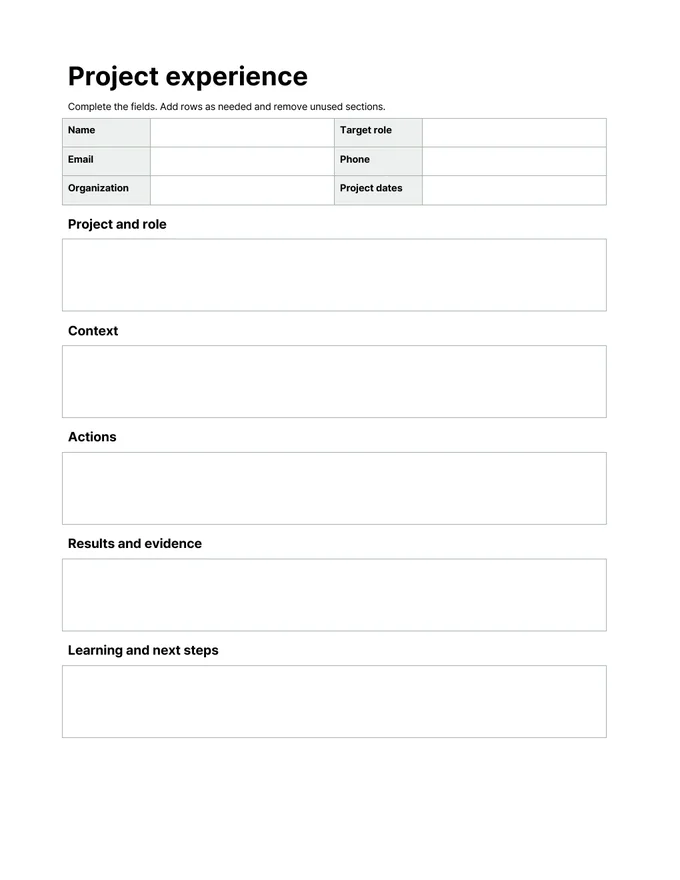
Letter paper · 1 page · Pretendard
Editable template
Type in the empty DOCX cells and add rows as needed. The PDF has the same writing spaces for printing and handwriting; it does not have interactive form fields.
Writing example
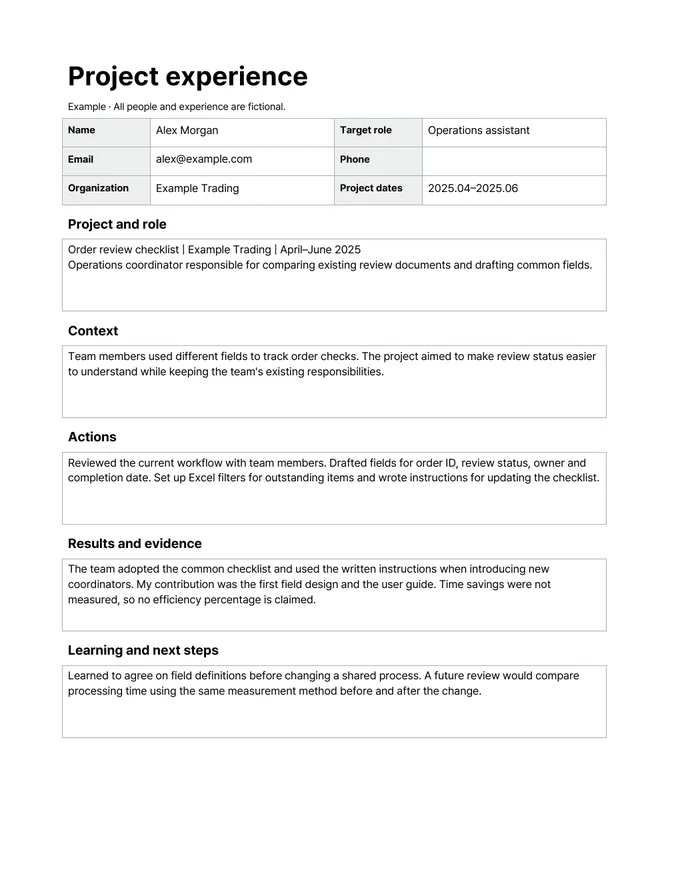
Examples use fictional people and experience. Replace them with your own facts before submitting.
Actual document preview
No account required. This page does not collect your completed document.
Pretendard is embedded in the DOCX. Some editors may substitute fonts; export to PDF and check the layout before submitting.
How to use it
- Download the editable DOCX and open it in a document editor.
- Complete the contact fields and section boxes. Add rows and remove unused sections; use the example for guidance.
- Check facts, contact details and page breaks, then save in the format requested by the employer.
For general job applications, with US-style contact fields. These are not federal or academic CV formats. Follow the employer’s required form and file format. Photo, birth date and full street address are omitted.
Sections in this template
- Project and role
Project name / organization / dates / your role
- Context
Problem, users and scope. Avoid confidential information.
- Actions
Your specific actions, tools and decisions
- Results and evidence
Supported outcome / evidence / your contribution versus the team's
- Learning and next steps
What you learned and what you would improve
Read the fictional example
Examples use fictional people and experience. Replace them with your own facts before submitting.
Project and role
Order review checklist | Example Trading | April–June 2025 Operations coordinator responsible for comparing existing review documents and drafting common fields.
Context
Team members used different fields to track order checks. The project aimed to make review status easier to understand while keeping the team's existing responsibilities.
Actions
Reviewed the current workflow with team members. Drafted fields for order ID, review status, owner and completion date. Set up Excel filters for outstanding items and wrote instructions for updating the checklist.
Results and evidence
The team adopted the common checklist and used the written instructions when introducing new coordinators. My contribution was the first field design and the user guide. Time savings were not measured, so no efficiency percentage is claimed.
Learning and next steps
Learned to agree on field definitions before changing a shared process. A future review would compare processing time using the same measurement method before and after the change.